 Subdivision developments

AR · concept
See it standing where it would be built
the proposed house on the east bench of Lot 1, its building platform, the concept lot lines, the right of way and the drive, and the wastewater field from the servicing test.
AR through your phone
One tap. Your location says whether you are on the section and the camera shows the design: on the section it stands full size where it would be built; anywhere else it sits on a table or the floor as a model.
AR needs Chrome on an Android phone. On this device, look round the design in the 3D world instead.
Open the 3D world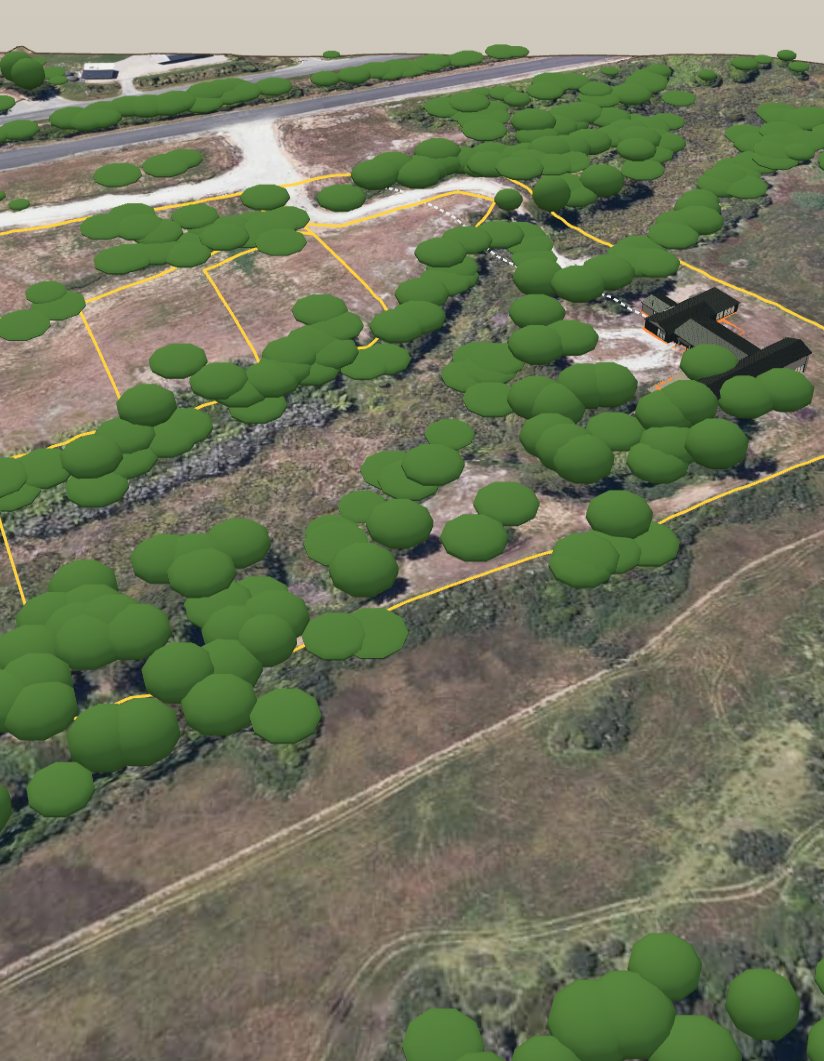
How far is the section?
Section 46 Village of Omau, Cape Foulwind, Westport. Within 150 m of the boundary, AR shows it full size.
Open it on your phone
Point the phone’s camera at the code to open this page on it, then tap Start AR.
How it works
- Tap Start AR and allow location and the camera.
- On a table or the floor: move the phone slowly over it and the model puts itself down. Pinch to size it, twist to turn it, tap to move it.
- On the section: it shows at once from GPS and the compass, a few metres out. To tighten it, tap Line it up, stand on a corner peg and aim at another.
- Done, or your phone’s back gesture, brings you back here.